
Starting over somewhere else
- A redesign you didn’t ask for (Not in the export)
- Every page rebuilt by hand (Not in the export)
- New URLs to redirect (Not in the export)
- A new builder to learn (Not in the export)

Same design, same URLs, a much faster site, and changes as easy as typing. No redesign, and no starting over somewhere else.
Want to see it with your site?
Or book a demo and we'll walk you through it.
Live in 7 days · from $499 · homepage in 0.9 seconds or the migration is free

Click on the words and type, or ask Claude or ChatGPT. A change to every page is one request, not an afternoon in page settings.
Every change is a draft you approve before it goes live. And if you get stuck, a real person answers the same business day.
Every page matched pixel for pixel on desktop, tablet and phone, animations, scrolling effects and video included.
Every URL stays exactly as it is, on the same domain, so there’s nothing for Google to re-learn.
The forms on your site come across and keep working, including ones that send to a tool like HubSpot.
Your new homepage loads in 0.9 seconds or less, or the migration is free.

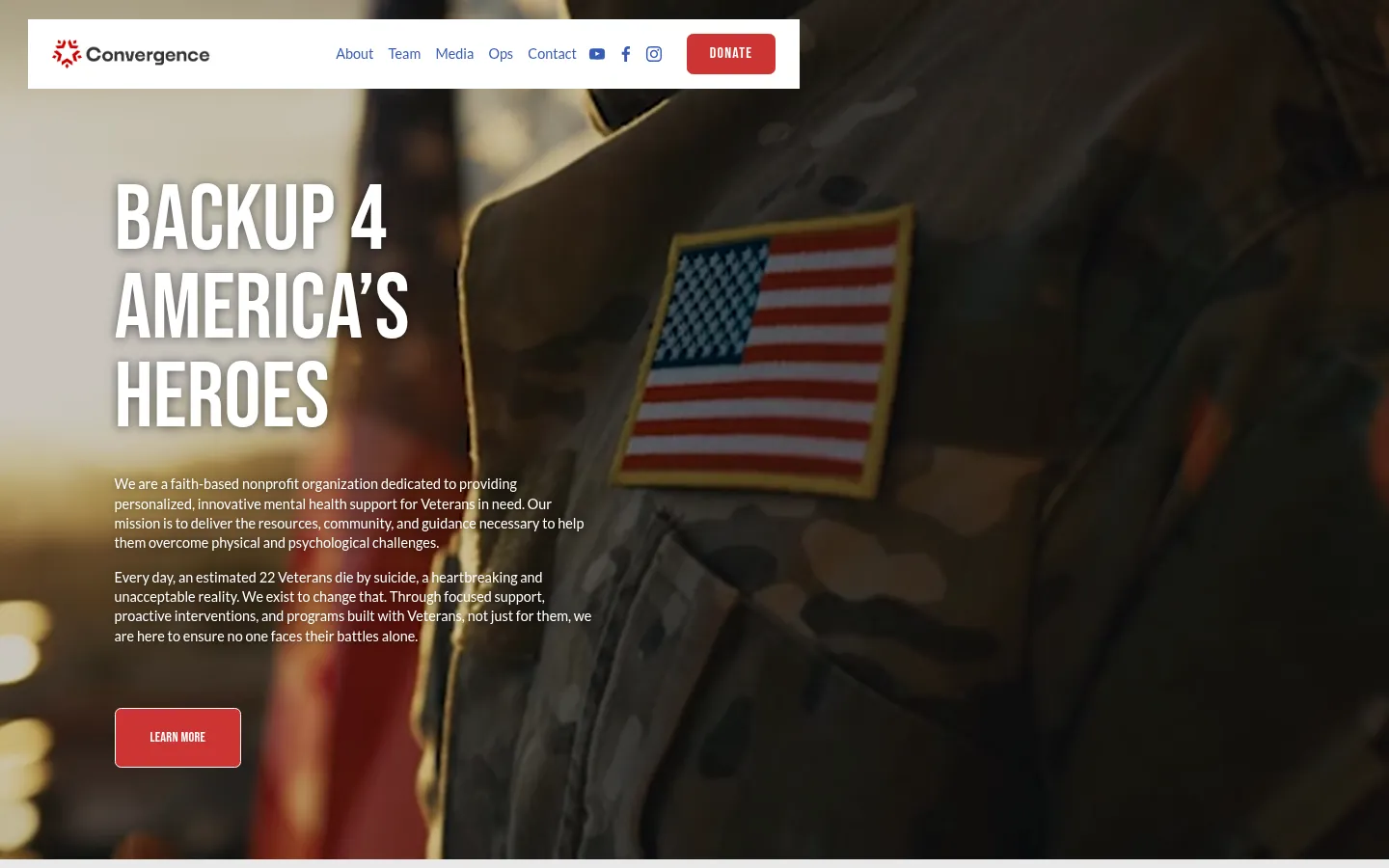
The homepage looked the same on BlinkPages as it did on Squarespace: same design, photos and words. We rebuilt it page by page and checked it against the old site at desktop, tablet and phone widths before the site cut over on 30 June 2026.
From Convergence’s case study. Payload measured on the live site against the archived pre-migration snapshot. Changes counted from the site’s repository history.
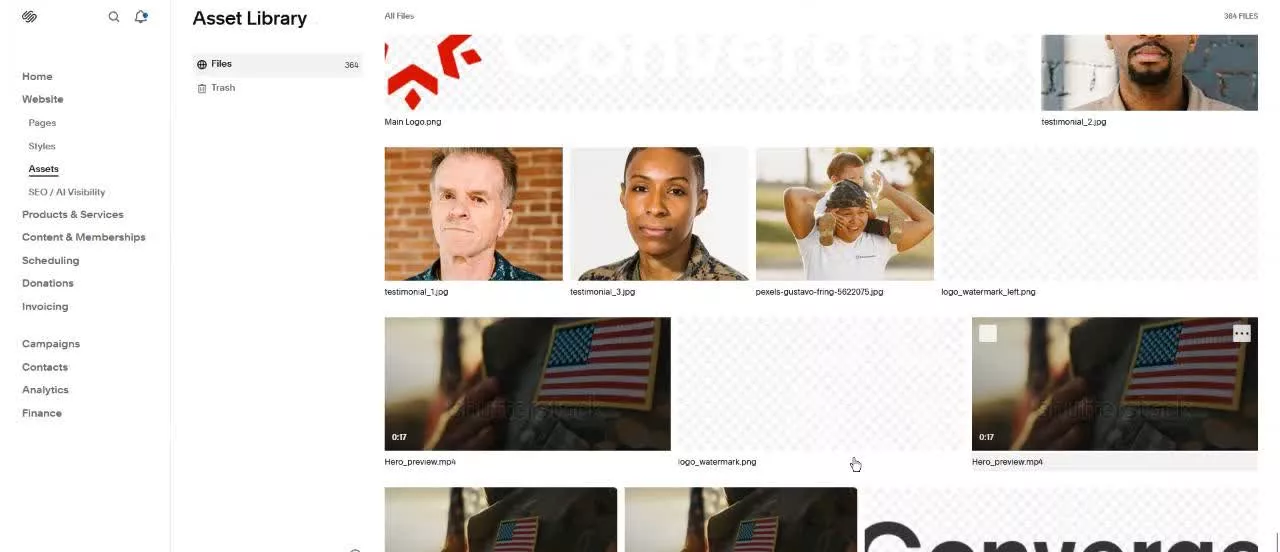
Squarespace's image export would only let me download the photos in our media library one at a time, and video content not at all. We were held hostage without even the option of paying a ransom.
BlinkPages bypassed the entire challenge: it recreated our live site without an export, including our photos and video. We left Squarespace without losing anything we needed.
 Rose Ford Director of Operations, Convergence
Full disclosure: Rose works at BlinkMetrics, the company behind BlinkPages, and Convergence’s cofounder is her husband. Convergence was our first Squarespace migration, and it was free. The whole story, with its sources, is in the case study.
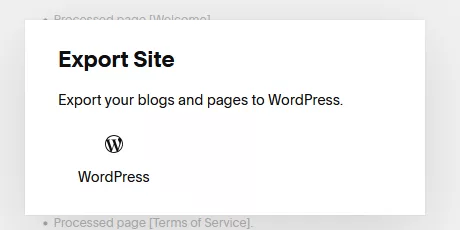
Squarespace has no way to export your whole site. It gives you one file, mostly your text, made for WordPress. Your layouts, design and video stay behind, and images come out one at a time. Here it is in their own words.

| On your site | Squarespace’s own export | Our migration |
|---|---|---|
| Layout pages | Partly Text and image blocks export. Other block types may not. | Comes across Rebuilt section by section, every block, not only the text and images. |
| Index, portfolio, cover and album pages | Not exported Listed as page types that don’t export. | Comes across Rebuilt like any other page, including the pages nested inside them. |
| Blogs | Partly One blog page per export. Pick a primary, lose the rest. | Comes across Every blog and every post, each at its original URL. |
| Images | Partly No bulk export. One at a time from the Asset library. | Comes across Every image on every page, collected in a single pass. |
| Video | Not exported Video blocks don’t export, and uploaded videos can’t be downloaded at all. | Comes across The full video at every quality, plus the still frame shown while it loads. |
| Dropdown menus, and page-specific headers, footers and sidebars | Not exported None of these export. | Comes across Your navigation and every page’s own header, footer and sidebar, with the same links. |
| Style settings and custom CSS | Not exported Neither exports. The file carries content, not design. | Comes across Fonts, colours and spacing matched pixel for pixel at three screen sizes, custom CSS included. |
| Getty images bought through Squarespace | Partly Squarespace: “only licensed for use on your site.” | We plan it with you We flag every one we find, so you can confirm the licence covers the new site, extend it, or swap the image before launch. |
| Store and calendar pages | Not exported Neither page type exports, and product blocks don’t either. | We plan it with you The page is easy. The checkout or booking behind it needs a new home, and we work that out with you before we start. |
| Unpublished drafts | Not exported Drafts don’t export. | Stays behind We rebuild what’s published, so copy out any draft you want to keep before you cancel. |
Sources, checked 24 September 2026: Squarespace Help Center, Exporting your site; Importing and exporting content; Managing and reusing images and videos.
We rebuild every page to match yours, pixel for pixel, on desktop, tablet and phone. One flat price, set by the size of your site, quoted up front and fixed once we start.
01
We screenshot your whole site (every single page) at desktop, tablet, and mobile. That becomes the reference: your live site exactly as your visitors see it, on the screens they actually use. Everything after this is measured against it.
before
after
diff
02
Then we go closer. Every section of every page gets its own screenshot, and each one is put against the original with pixel-level analysis. Comparing whole pages by eye misses things. Comparing section against section, pixel against pixel, doesn’t.
| Section | Desktop | Tablet | Mobile |
|---|---|---|---|
| header | match | match | match |
| hero | match | match | match |
| features | match | match | review |
| content | match | match | match |
| gallery | match | match | match |
| footer | match | match | match |
03
Every fix gets re-run against the reference, on every section and every device size. A change that quietly breaks something two pages away shows up as a failed check instead of as a surprise after launch. Anything that doesn’t match goes back into the loop.
repeats until every section matches
04
The migration leans heavily on our automated systems and on Claude itself. That’s what makes this level of checking affordable at all. Then a human reviews it, perfects it, and keeps guiding the AI through as many passes as it takes.
The result: pixel-perfect, indistinguishable from your live site, other than the obvious fact that it’s lightning fast.
Yes, and more easily than in Squarespace. Click on a heading or a paragraph and type over it, or ask Claude or ChatGPT for the change in plain words, like “update the page title on every service page.” A change that means opening every page’s settings in Squarespace is one request here. Every change is a draft you preview and approve before it goes live.
Ask us. A real person on our support team answers the same business day, whether it’s a change you can’t work out or something that doesn’t look right.
Search engines key on your content, your domain and your URLs, and all three stay the same, so there’s nothing for Google to re-learn. The pages also get considerably faster, which helps. If we find template pages you never meant to publish, we’ll agree with you what happens to each one before launch.
Yes. The forms on your site come across and keep working. If they send entries to a tool like HubSpot, they keep sending them there, and we test a submission before launch.
Because it produces a WordPress import file, and most of a Squarespace site doesn’t fit in one. It takes layout pages, text and image blocks, and one blog. It leaves out index, portfolio, cover, store and calendar pages, video and audio blocks, dropdown menus, style settings and custom CSS. Images have to be downloaded one at a time. That’s Squarespace’s own list, in its help center.
So we skip the export and rebuild from your live site, which is the only complete copy there is.
No. We collect every image and video from the live site ourselves, in one pass, including uploaded videos Squarespace won’t let you download. For a public site, the address is all we need to start.
It can stay exactly where it is. You change two DNS records to point it at your new site, and we check that every old URL still opens the right page. Squarespace bills domains separately from websites, so cancelling the website subscription leaves the domain running (their words). Move the registration later if you want to. You don’t have to.
After your new site is live on your domain and you’ve checked it. Until then Squarespace is still serving your visitors, so there’s no reason to rush.
One thing to do first: copy out any unpublished drafts you want to keep. We rebuild what’s published, and Squarespace doesn’t export drafts either.
Those are Squarespace services that sit behind your pages, so each one is its own conversation. On the demo we go through every one you use and tell you plainly what comes across, what connects to a replacement, and what would stay with Squarespace. You see that list before you commit to anything.
The same as any migration, set by the size of the site: $499 for up to 10 pages, $999 for up to 100, $1,999 for up to 1,000, and a fixed quote above that. It’s flat, and it doesn’t change once we start. Then $49 to $199 a month to run it, depending on the features you want. See the pricing.
No. It’s human-in-the-loop by default. Every change shows up in a preview and waits for your approval before it goes live. Simple changes can go straight live on command if you want them to.
The opposite. Your site is a standard, open-source Astro project you can export at any time and host anywhere. More on how it’s built →
If you just fire up Claude Design and ask it to build you a site, there’s a very good chance it will look like every other site these days. We can migrate your existing site pixel for pixel, so you don’t lose any of your branding. We also build a design system for your website that helps it build out new pages so they fit with your brand and don’t look generic. With the right guidance, AI can be used to build or manage any design.
No. You describe what you want in plain language and BlinkPages makes the change. The open-source code is there if a developer ever wants it, but you never have to touch it.
Every page. Every video. Same URLs.
